
Rental deposit automation software to support TDS registrations
The Tenancy Deposit Scheme has integrated with Onboardr to automate rental deposit registrations with TDS’ API solution.
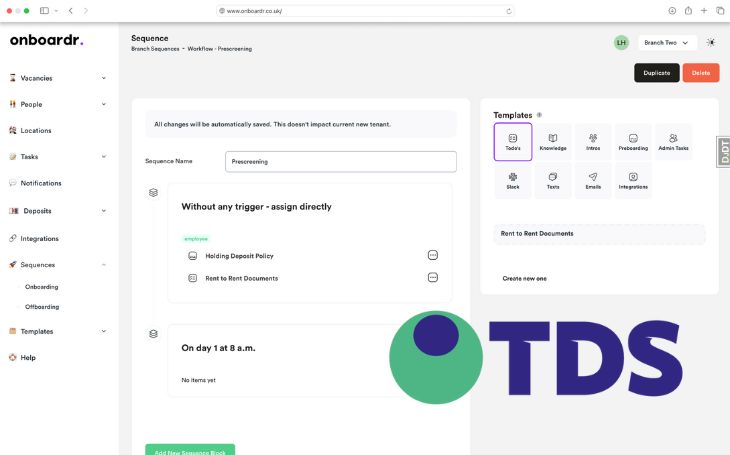
The time-consuming task of duplicating rental deposits data from a CRM system onto a deposit scheme platform has now been simplified.
Previously an admin-heavy task, the Tenancy Deposit Scheme’s (TDS) integration with Onboardr means that agents no longer need to spend time manually inputting this data. The TDS PropTech automatically transfers the data, removing time lost duplicating deposit entries, reducing inaccuracies and saving agents valuable time.
Lee, the co-founder of Onboardr, said: “Our TDS integration allows for easy one-click deposit protection. The required information for the API request is already collected at the point of onboarding the landlord, their property and the incoming tenant, and we avoid duplication of effort with double data entry in multiple dashboards to help avoid potential mistakes.
Deposit dashboard
Users have the option to receive weekly or daily reports of deposit registrations, while the dashboard shows the status of all deposits to all staff, with countdown reminders and warnings when the deadline for protection approaches.
Once a rental deposit is protected, the status is communicated automatically to staff, landlords and tenants.

Debbie Davies, TDS Head of Sales and Client Success, added: “We are thrilled about our integration with Onboardr, which marks a crucial step in simplifying deposit protection for agents. Appified’s platform working with the TDS API allows agents to handle deposit protection seamlessly with just a click.
“This integration not only streamlines admin tasks but also enhances efficiency during the onboarding process. This collaboration underscores our commitment to providing agents with powerful tools that make things easier and supports compliance effortlessly.”